
















Table of Contents
- • Pixlr Review Summary
- • About Pixlr
- • Other opinions about Pixlr
- • Comprehensive Overview of Pixlr
- • Pixlr Review
- • Pixlr Subscription Plan Review
- • Pixlr Pros & Cons
- • Pixlr vs Photoshop
- • Pixlr Editing Features Overview
- • Pixlr Subscription and Usage
- • Pixlr Contact Information
- • Where to buy Pixlr?
- • Conclusion of Pixlr reviews & ratings
Pixlr Review Summary
Pixlr is a browser-based photo editing and design platform that offers a suite of AI-powered tools for various creative needs. It generally performs well for both casual and semi-professional users, with a user-friendly interface and a broad toolset that may appeal to beginners and experienced users alike. Its online accessibility allows flexibility but may sometimes face performance limitations depending on connectivity and file size.
Highlights
- Suitable for beginners and casual editors
- Offers AI image generation, editing, and design tools
- Some features require premium upgrade; occasional slowdowns noted
- Reliable and versatile, rated 4.4/5 overall
Within the competitive photo editing software landscape, Pixlr stands as a convenient online option with diverse capabilities. Alternatives exist with varying advanced features or offline availability, making choice dependent on specific needs. For a measured perspective, see the full Pixlr review.
About Pixlr
Many individuals and small businesses need accessible tools to edit images without complex software installations. Handling basic to moderate photo edits quickly is often a challenge without a reliable online solution.
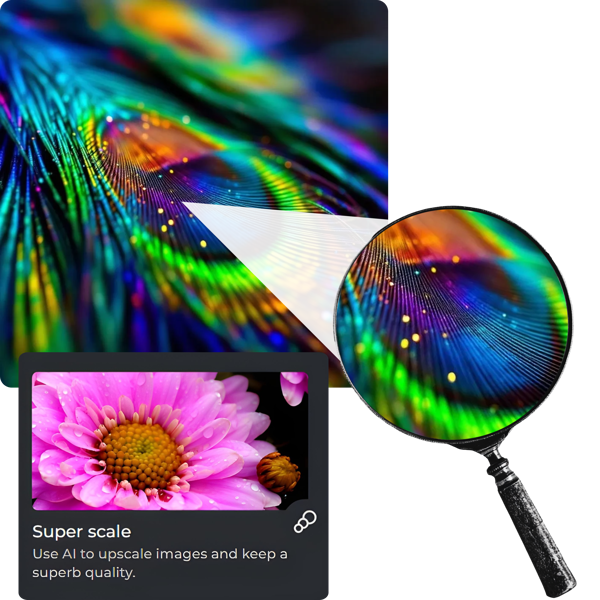
Pixlr is a web-based photo editing suite that offers various AI-powered tools and design features. It positions itself as a practical alternative to traditional desktop editors, providing creative capabilities through browsers and mobile apps for diverse users.
Pixlr serves millions of users worldwide and has developed a reputation for ease of use and continuous updates. Its range of editing options attracts both novice and experienced users, reflecting steady traction in the online photo editing space.
The platform is suitable for casual and semi-professional editing needs but may show limitations with very large files or highly complex modifications. For a detailed overview and user experiences, see Pixlr review.
Other opinions about Pixlr
Opinions and insights gathered from trusted review articles and authoritative websites covering Pixlr.
Comprehensive Overview of Pixlr
Pixlr is an online photo editing platform that offers a suite of tools for image manipulation and design accessible through web browsers and apps. It originated to provide users with an easy-to-use alternative for photo editing without requiring specialized software installations. The platform is designed to serve a broad range of users including beginners and professionals.
Pixlr operates with a variety of functionalities such as basic photo edits, AI-powered image generation, background removal, and advanced editing features. Its structure consists of multiple integrated editors and design tools that support different creative processes, accessible from desktop, mobile, and browser environments. Continuous development focuses on incorporating AI technologies to enhance capabilities.
The platform’s flexibility extends across casual use, professional projects, and educational purposes. Pixlr Review highlights its role in democratizing graphic design and photo editing by combining innovative AI tools with user-friendly features. It supports a subscription model while offering substantial free access, facilitating a wide user base globally.
Pixlr Review
Pixlr is a versatile brand specializing in online photo editing and creative design tools. It provides AI-powered solutions accessible on web, mobile, and desktop platforms, catering to both casual and professional users. The brand emphasizes ease of use and accessibility, making image editing available to a broad audience. Pixlr continues to evolve with innovative features to enhance digital creativity.
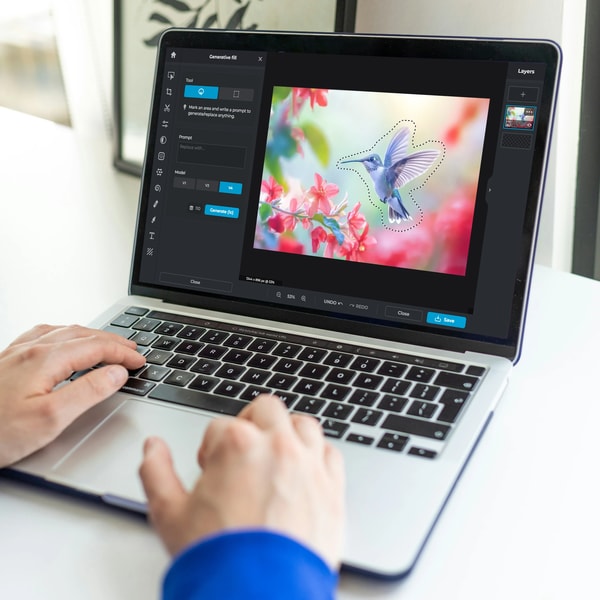
Pixlr offers a suite of products that include photo editors, AI image generators, and design tools suited for a variety of tasks such as photo retouching, background removal, and content creation. Its platform supports seamless editing without the need for downloads. With a user-friendly interface and tools comparable to traditional desktop software, Pixlr serves a wide range of users from beginners to experienced creatives. The brand maintains a strong presence in casual editing and social media content creation.
Pixlr Highlights- AI-powered photo and design tools
- Accessible via web, mobile, and desktop
- Intuitive user interface for all skill levels
- Comprehensive editing and creative features
- Supports fast and easy photo adjustments
Pixlr Subscription Plan Review
Pixlr is a browser-based photo editing platform that offers a variety of AI-powered tools suitable for both beginners and semi-professionals. It enables users to perform basic edits, generate images from text, remove backgrounds, and create designs without the need to install software.

The platform supports access across web, mobile, and desktop devices, providing flexibility for editing on the go. Its intuitive interface simplifies the editing process, though some advanced features and performance efficiencies may require premium subscription upgrades.
Pixlr follows a freemium subscription model, offering a robust free version with daily export limits and ads, while paid plans unlock additional features, remove advertisements, and expand content libraries. It is a practical choice for casual editing and social media content creation.
- Free Plan: $0
- Plus Plan: $2.49 per month
- Premium Plan: $9.99 per month
Price $2.49 • pixlr.com
Pixlr Pros & Cons
Pixlr offers accessible photo editing through any browser without needing downloads, making it convenient for casual and intermediate users. Its user-friendly interface and AI-powered tools, such as the image generator and background remover, support a variety of file formats across web, mobile, and desktop platforms. The availability of templates further enhances design capabilities, especially for social media and marketing purposes. The free version provides a solid entry point, while premium plans offer advanced features and an ad-free experience.
Despite these strengths, Pixlr's performance can occasionally slow down with high-definition images or large files, which may affect workflow efficiency. The presence of ads in the free version can be intrusive, and its advanced editing capabilities are limited compared to professional-grade software, which could restrict users seeking more complex editing tools. Overall, Pixlr suits users looking for quick, straightforward editing rather than in-depth professional adjustments.
- • Accessible from any browser
- • User-friendly interface
- • Includes AI-powered tools
- • Supports multiple platforms
- • Variety of supported file formats
- • Offers design templates
- • Free version available
- • Premium plans include advanced features
- • Occasional slow performance with large files
- • Ads in free version can be intrusive
- • Limited advanced editing features
Pixlr vs Photoshop
Pixlr provides many essential photo editing features such as brightness and contrast adjustments, filters, overlays, and layers, with the advantage of being web-based and beginner-friendly. Photoshop, on the other hand, offers a broader set of advanced editing and design tools that cater to professional users and complex workflows.
While Pixlr is more affordable and accessible for casual or quick editing needs, Photoshop delivers higher precision and more comprehensive capabilities, making it suitable for professional use. Pixlr's AI tools add modern enhancements but do not fully match the depth of Photoshop's features.
- Web-based accessibility
- Beginner-friendly interface
- AI-powered tools
- Brightness and contrast adjustment
- Filters and overlays
- Advanced editing tools
- Professional-grade performance
- Comprehensive design features
- Highly precise controls
- Extensive workflow options
Pixlr Editing Features Overview
Pixlr offers a comprehensive range of photo editing tools to address basic and intermediate image editing needs. Users can adjust brightness, contrast, and colors, apply various filters and effects, and easily retouch portraits. The platform enhances creativity with advanced AI features like generative fill, background removal, object removal, and AI upscaling, all accessible without complex software.
Key features include AI Image Generator for text-to-image creation, AI Background and Object Removal, AI Generative Expand for canvas size adaptation, photo collage and template design tools, and batch editing for bulk photo processing. These tools deliver a seamless editing experience suitable for social media, marketing visuals, and personal projects, making Pixlr a versatile photo editing platform.
Pixlr Subscription and Usage
Pixlr offers a freemium model with a free tier that provides access to many editing and AI features without requiring an account. The free plan includes usage limits such as daily export restrictions and displays ads. Premium and Plus subscriptions unlock additional advanced tools, remove advertisements, and grant access to enhanced content libraries. Pricing varies based on the chosen subscription but is not detailed here.
The service includes a 7-day free trial for premium features and supports cross-platform access via web, mobile, and desktop devices. Subscription plans are designed to meet the needs of individuals, businesses, and educational users. Pixlr enables secure online editing without the need to download software, catering to both casual users and professionals seeking greater functionality and an ad-free experience.
Pixlr Contact Information
Users can reach Pixlr support through various online channels for assistance and inquiries. Support is accessible via the official website and social media platforms.
- Email: [email protected]
- Support tickets on the official website
- FAQ sections on the website
- Discord community
- YouTube
This multi-channel approach ensures users can find help and connect with the Pixlr team effectively.
Where to buy Pixlr?
Pixlr is officially available for access and subscription through its official website, where secure account systems facilitate user management and support channels provide assistance, ensuring clear policies and reliable service. Users purchasing via pixlr.com can expect straightforward digital delivery and feature access, though availability in offline stores is limited and may vary in terms of stock and service offerings, reflecting potential differences in marketplace reliability and policy emphasis compared to the online experience.
Conclusion of Pixlr reviews & ratings
Pixlr holds a notable place in the photo editing and design space, offering accessible tools suitable for a wide range of users. Its web-based platform at pixlr.com provides a convenient option with strengths in AI-powered editing, intuitive interface, and compatibility across devices. These features make it a practical choice for both casual and more experienced editors alike.
Exploring Pixlr’s various tools can help users find the right fit for their creative needs, and it remains valuable to revisit as features evolve. Those interested can learn more through the detailed perspective shared in this Pixlr review, offering insights that support informed decisions without pressure or urgency.
Editorial notes reflect aggregated buyer feedback and our independent editorial review of publicly available information. They are for informational purposes only and do not constitute endorsements. Purchases are made at your own discretion, and we are not responsible for transactions or outcomes related to this store. Experiences may vary. This content is assisted by AI and reviewed by our editorial team. While we strive for accuracy, AI-supported information may not always be 100% precise, so please verify any critical details.

